0.5.dev0+git.20261020.d6b0376 - October 20, 2026 18:35 UTC
Examples#
This is the gallery of examples that showcase how scikit-plots can be used. Some examples demonstrate the use of the APIs Reference in general and some demonstrate specific applications in tutorial form. Also check out our user guide for more detailed illustrations.
This page contains example plots. Click on any image to see the full image and source code.
Tagging!
You can also browse the example gallery by tags.
Jupyter Notebooks#
See also
🚀 Try Scikit-Plots in Your Browser with Notebooks
No installation required. Launch one of the interactive environments below.
Interface |
URL |
|---|---|
Lab |
|
Retro |
|
REPL |
https://scikit-plots.github.io/dev/lite/repl/index.html?kernel=python&code=import%20this |
jupyterlite (pyodide, xeus-python, c, c++)
jupyterlite lab pyodide:
jupyterlite lab all-in-one-pyodide[pyodide, xpython, r, c, cpp, sqlite, js, p5]:
jupyterlite lab all-in-one-xeus[xpython, r, c, cpp, js]:
jupyterlite lab terminal[pyodide]:
jupyterlite lab misc:
Annoy#
Examples for annoy cover approximate nearest-neighbor
index construction, querying, persistence, memory mapping, precision trade-offs,
and lower-level native/Cython interfaces.
The gallery intentionally contains several API layers. Most users should
start with the public Python Index interface and move to the lower
layers only when they need dtype/native compatibility or implementation-level
benchmarking.
Start here: ANNoy Vector Index DB#
1. Simple nearest-neighbor search
Start with plot_simple_script.py.
It demonstrates the shortest useful workflow:
from scikitplot.annoy import Index

index = Index(
    f=3,
    metric="angular",
)

index.add_item(0, [1, 0, 0])
index.add_item(1, [0, 1, 0])
index.add_item(2, [0, 0, 1])

index.build(-1)

print(index.get_nns_by_item(0, 10))
print(index.get_nns_by_vector([1.0, 0.5, 0.5], 10))
Use this page to understand the core lifecycle before looking at persistence, Cython, legacy, or benchmark examples.
Recommended learning order#
Example |
Level |
What to learn |
|---|---|---|
|
Beginner |
construct, add vectors, build, and query an |
|
Beginner / intermediate |
broader public Python API, parameters, inspection, compatibility |
|
Intermediate |
save, load, and memory-map an index |
|
Intermediate |
inspect/export index-oriented data and plotting utilities |
|
Intermediate / advanced |
query/build trade-offs on a larger generated vector set |
|
Advanced |
real-text vectorization plus dtype/metric/native index comparison |
|
Advanced |
direct Cython-layer API and concrete native type combinations |
|
Advanced / compatibility |
low-level/legacy C-extension compatibility behavior |
|
Maintainer / benchmark |
subprocess-driven native dtype benchmark coverage |
Choose the right API layer#
The gallery contains three distinct layers.
Layer |
Typical import |
Use when |
|---|---|---|
Public Python API |
|
normal application code and new examples |
Cython/native API |
|
dtype/native experiments, implementation-level testing |
Legacy C-extension API |
|
compatibility testing and migration work |
Prefer the public Python API unless the example is specifically teaching a lower-level contract.
Private/internal imports in the advanced examples are deliberate teaching or maintenance surfaces; they should not be copied into ordinary application code without understanding their compatibility implications.
Core index lifecycle#
The common Annoy lifecycle is:
vectors
   ↓
Index(f, metric)
   ↓
add_item(...)
   ↓
build(n_trees)
   ↓
query
  ├── get_nns_by_item(...)
  └── get_nns_by_vector(...)
   ↓
optional save(...)
   ↓
optional load(...) / mmap-backed querying
Build parameters affect index construction, while query parameters affect the search work performed against an already-built index.
Metrics#
Examples use several supported metric families, including:
angularcosine-like angular distance for directional similarity.
euclideanL2 distance.
manhattanL1 distance.
dotdot-product-oriented similarity.
hammingHamming-distance-oriented indexing where supported by the selected native type combination.
Not every dtype/metric/native combination should be assumed equivalent. Use the public API defaults for ordinary applications and the Cython examples when explicitly investigating concrete type combinations.
Persistence and memory mapping#
plot_mmap_script.py demonstrates the persistent workflow:
index.save("example.annoy")

restored = Index(
    f=3,
    metric="angular",
)
restored.load("example.annoy")
Annoy indexes are designed to support file-backed querying. Keep the vector dimension and metric consistent with the index that was written.
Treat bundled .annoy / .tree files in this gallery as example/test
artifacts, not as a stable cross-version interchange format unless the relevant
compatibility contract has been explicitly verified.
Precision and benchmark examples#
The precision and benchmark pages are not beginner tutorials.
They may:
generate many random vectors,
build many trees,
exercise multiple dtype/metric combinations,
launch subprocesses or pytest benchmarks,
write index artifacts,
consume substantially more CPU, memory, or disk than the simple example.
Use them for engineering comparison, regression testing, or capacity planning. Do not infer production sizing from a single gallery benchmark.
Hamlet Cython showcase#
plot_annoy_cython_hamlet_example.py is the broadest Annoy demonstration.
It uses a real text corpus, converts passages to vectors, and compares native Annoy behavior across advanced configurations.
Conceptually:
Hamlet passages
    ↓
text vectorization
    ↓
native Annoy Index
    ↓
dtype / metric variants
    ↓
nearest-neighbor search
    ↓
build-time / size / retrieval comparison
Use it after the public Python examples. It is a showcase of the lower-level native implementation surface, not the minimum API required to use Annoy.
Native capability#
Annoy in scikit-plots includes compiled/native components. A gallery or CI environment may therefore have the Python package available while a required native implementation is unavailable for that platform/build.
The desired gallery rule is:
native Annoy capability unavailableReport a specific
SKIPwhen the example cannot truthfully continue.native Annoy imports successfully but build/query failsFail visibly. Do not convert an installed-backend regression into a skip.
The same distinction applies to compiler-dependent benchmark examples.
Files and working directories#
Several historical/advanced examples read or write artifacts such as:
*.annoy
*.tree
*.npy
*.csv
*.joblib
New examples should prefer a temporary directory or a path derived from the example location rather than relying on the caller’s current working directory.
Gallery examples should not overwrite repository test fixtures merely to demonstrate persistence.
Reproducibility#
For deterministic examples:
seed random-number generators where random vectors are generated,
keep dimensions and item counts bounded,
print bounded result summaries,
separate correctness checks from performance measurements,
record the metric, number of trees, and query parameters used for benchmark comparisons.
Approximate nearest-neighbor results can depend on build/search configuration; benchmark pages should make those parameters visible.
Relationship to Corpus and MCP#
Annoy can also be used as a retrieval backend by higher-level scikit-plots components.
For document retrieval:
scikitplot.corpus
    ↓
document embeddings
    ↓
Annoy vector backend
    ↓
retrieval
For a protocol/server workflow:
Corpus
  ↓
Annoy
  ↓
CorpusAnnoyRetriever
  ↓
scikitplot.mcp
Use the Corpus/MCP galleries when the goal is document ingestion or MCP serving. Use this Annoy gallery when the goal is understanding and validating the vector index itself.
CI guidance#
A practical CI split is:
- Portable/public API gate
Run the small public Python examples and focused Annoy tests.
- Native capability gate
Run Cython/native examples only on environments that intentionally provide the required compiled extension.
- Benchmark gate
Keep expensive dtype/precision/compiler benchmarks separate from the normal documentation build when they materially increase build time or resource consumption.
An unavailable optional native/compiler capability should be reported explicitly. Security, serialization, index-corruption, or installed-backend failures should remain visible.
Browser / WASM note#
Do not assume that the native Annoy implementation, memory mapping, filesystem semantics, subprocesses, or C/C++ compiler examples are available in JupyterLite/Pyodide/other browser-WASM runtimes.
Use the simple/public API examples there only when the relevant native package has been explicitly built and verified for that runtime.
The Cython, mmap, compiler, and benchmark pages should otherwise be treated as reference material in browser environments.
Gallery reliability rule#
Keep Annoy examples small, explicit, and honest:
missing optional native/compiler capability visible SKIP when continuation is safe.
wrong public API / invalid vector dimension / corrupt required artifact /
installed-backend failure
visible failure.
Do not fabricate fallback nearest-neighbor results merely to keep a gallery page green.





Approximate Nearest Neighbors with Annoy — A Hamlet Example





Array API support#
Examples related to the _lib submodule with e.g. LogisticRegression instance.
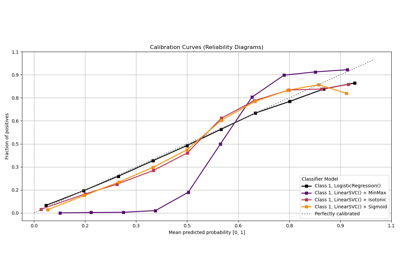
Calibration#
Examples related to the metrics submodule with e.g. LogisticRegression instance.
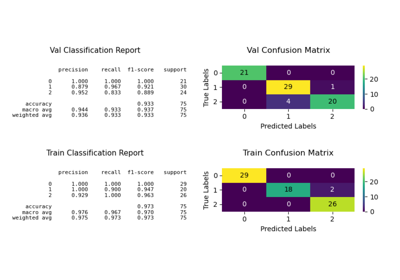
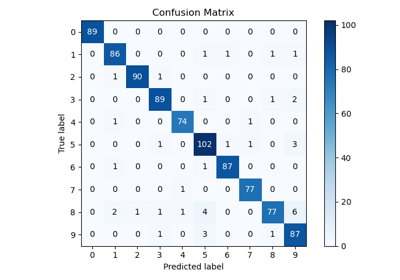
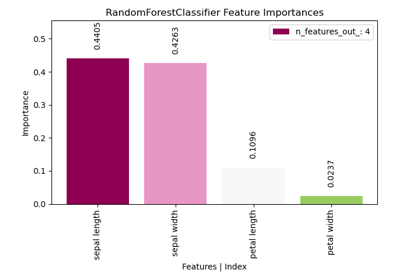
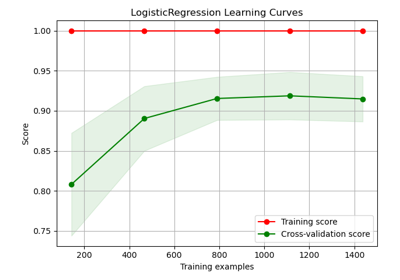
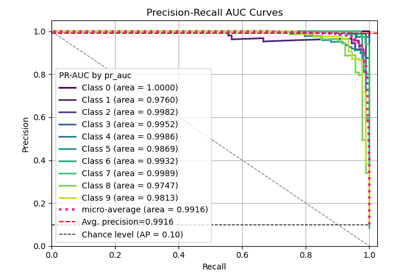
Classification#
Examples related to the estimators submodule with e.g. LogisticRegression instance.
Cleanprompt#
Examples for cleanprompt are ordered as a learning path.
The submodule replaces sensitive values in a text with stable placeholders
before that text is sent to a language model, and puts the values back
afterwards:
your text
    ↓
detect        regular expressions, and optionally named entities
    ↓
assign        one stable label per distinct value
    ↓
rewrite       a single pass over the original text
    ↓
── the model ──   the only hop this submodule does not control
    ↓
restore       the labels become the values again
# The base tier needs nothing beyond the standard library
pip install scikit-plots
# Optional tiers, each independent of the others
# spaCy entity detection, NLTK entity detection, local Flask interface, the Fernet vault cipher
pip install scikit-plots[cleanprompt]
# The same two scripts serve Docker images, the devcontainer and
# the documentation build; see their headers for the options.
bash docker/scripts/install_nltk.sh
bash docker/scripts/install_spacy.sh
# What is active on this machine, and what is blind
python -m scikitplot.cleanprompt doctor
See also
takashiishida/cleanprompt — the upstream project this submodule was restructured from.
Mcp — the other submodule with a centrally registered CLI.
Start here#
Basics — hide one value, send the prompt, get the value back. The whole loop in four commands and four function calls.
The command line — every input route, the option grammar, exit codes, and the edge cases that bite: a pasted paragraph, a dash-leading value,
--, abbreviations, pipes, and a closed pipe.The Python API —
encode/decode,Session,Redactor, and what each one does when the input is degenerate.Notebooks and modules — send a whole
.ipynbor.py: the schema renamed role by role, paths and rendered data removed, and the code still readable enough for a model to help with.Moderate — policies and profiles, the vault lifecycle, append versus overwrite, entity engines and whether they are ready (package, language and data), languages, and the surrogate style.
Advanced — custom detectors, overlap arbitration, vault encryption without a compiled dependency, the lossy model hop, values written with invisible or full-width characters, and the nine core runtime invariants.
Recipes — a CI gate, a notebook helper, a logging filter, a batch pipeline, an agent loop, and container files that stay on loopback.
Packs and formats — records, configs and whole folders: YAML packs that read field names (
mrn,DB_PASSWORD,member_id), formats from CSV to Word to zip, the fluent plan (all, one domain, or any combination), your own pack from a JSON or YAML file (and why a pack file is trusted like code), and the corpus bridge.A gate for any model or agent —
Guardin front of any client: checked outgoing text, chat messages, tool calls, streamed replies,ask --viafor command-line models, the agent skill, the MCP server for agents without code, plan files a team pins, and audit logs that record what left without keeping what was removed.
Which surface should I use?#
Goal |
Start with |
|---|---|
Paste a prompt into a chat window by hand |
|
See what would be removed, changing nothing |
|
Fail a build when a file contains sensitive values |
|
One call in an application |
|
A multi-turn conversation with one stable vault |
|
Full control of detectors, overlap and limits |
|
Add a detector of your own |
|
Send a notebook, a module or any analysis file |
|
See a file’s schema before sending it |
|
Records, configs, Office files, a whole folder or a zip |
|
Hide your own domain’s fields |
a pack file: |
Make corpus documents safe before indexing |
|
Put any model, SDK or agent behind one privacy gate |
|
Guard a command-line model ( |
|
Teach an AI assistant to use it |
|
Give any MCP agent the gate, without code |
|
Pin a team’s packs and rules, and fail CI when they drift |
|
Capability matrix#
The base tier imports no third-party package, so the normal gallery path
runs on a bare installation. Optional capabilities are preflighted and reported
as a visible SKIP when unavailable, never silently omitted.
Example |
Normal path |
Optional capability |
Behavior when unavailable |
|---|---|---|---|
Basics |
standard library |
none |
not applicable |
Command line |
standard library |
|
falls back to |
Python API |
standard library |
none |
not applicable |
Notebooks and modules |
standard library |
none |
not applicable |
Moderate |
standard library |
spaCy / NLTK entity engines |
specific |
Advanced |
standard library |
|
the |
Recipes |
standard library |
Flask for the web recipe |
configuration shown, server not started |
Packs and formats |
standard library (packs are compiled JSON) |
PyYAML for YAML packs; |
JSON packs still shown; specific |
A gate for any model |
standard library |
none (the model is a stand-in function) |
not applicable |
Gallery reliability rule#
The examples distinguish optional capability absence from real defects:
missing optional package, model or data packageReport a visible, specific
SKIPand continue when the example can remain truthful.invalid public API / failed round trip / a value surviving into the redacted textFail visibly. The gallery must not convert a leak or a regression into a skip, because the one property this submodule sells is that the value did not go to the model.
Every example asserts its own round trip. An example that prints a redacted prompt has already checked that the original value is absent from it.
Where the vault goes during a documentation build#
A vault holds the removed values in clear text. Left to itself the CLI
writes one into the platform state directory —
$XDG_STATE_HOME/cleanprompt/vault.json on Linux,
%LOCALAPPDATA%\cleanprompt\ on Windows — which is right for a person at a
terminal and wrong for a documentation builder.
Every script here therefore points CLEANPROMPT_VAULT at a
TemporaryDirectory in its first cell and removes it in its
last. Nothing a gallery run produces outlives the build, and nothing is written
next to the source tree, where a git add . could commit it.
Reading the examples is not the same as running them#
The redacted prompts printed by these examples contain no real values: the
addresses use the reserved example.com and example.invalid domains
(RFC 2606), the telephone numbers the North American fiction block
+1 555 0100–0199, the addresses the documentation ranges
192.0.2.0/24 (RFC 5737) and 2001:db8::/32 (RFC 3849), and the
card number the publicly published test value.
Use the same discipline in your own examples and tests. A tutorial that leaks a real value has undone the thing it was teaching.
Browser / WASM note#
The base tier is pure Python and has no filesystem requirement beyond the vault
path, so pattern detection, the API and the placeholder round trip are strong
JupyterLite candidates. Subprocess execution, the platform state directory,
getpass prompts, native spaCy models, NLTK data downloads and a listening
Flask server should not be assumed available in a browser runtime.
The examples that shell out to the CLI say so, and the equivalent Python call is shown beside every one of them.

Cleanprompt Advanced: Invariants, Encryption, and the Lossy Model Hop

Cleanprompt Basics: Hide a Value, Then Get It Back

Cleanprompt on the Command Line: Single Commands and Edge Cases

Cleanprompt as a Gate: Any Model, Any Agent, Nothing Private Leaves

Cleanprompt Moderate: Policies, Entities, and the Vault’s Lifecycle

Cleanprompt for Notebooks: Sending an Analysis Without Sending the Data

Cleanprompt Packs and Formats: Records, Configs and Whole Folders

Cleanprompt from Python: Single Calls and Edge Cases

Cleanprompt Recipes: CI Gates, Notebooks, Pipelines and Agents
Clustering#
Examples related to the estimators submodule with e.g. LogisticRegression instance.
Corpus#
Examples for corpus are ordered as a learning path rather
than by implementation detail.
# 💡 corpus Need additionals packages
curl -O https://raw.githubusercontent.com/scikit-plots/scikit-plots/main/requirements/corpus.txt
pip install -r requirements/corpus.txt
pip install scikit-plots[corpus]

# (Recommended)
# !pip install datasets transformers
# !pip install nltk gensim langdetect faster-whisper openai-whisper pytesseract youtube-transcript-api
# sudo apt-get install tesseract-ocr
See also
Start here#
Configure Corpus declaratively — learn
FluentCorpus, immutable plans, validation, branching, fingerprints, bounded lazy configuration variants, and thematerialize()boundary.Compose policy families explicitly — use
CorpusPolicyBundlefor reusable local/strict/networked/docs presets without collapsing runtime, backend, downloader, and per-document error semantics.Customize optional backends safely — preflight the exact reader chain, inspect readiness, order backends with
BackendPolicy, and plug in a user-sideASRBackendwithout model downloads.Use lexical edit distance — use
scikitplot.levenshteindirectly and as a deterministic Corpus retrieval scorer.Build and search a real Hamlet corpus — use
RuntimeCorpusend to end:run(),add(), storage, retrieval, export, and lifecycle.Compare chunking strategies — compare sentence, word, fixed-window, and morphological semantic chunking on the same OCR text.
Process an MP3 — learn audio provenance and companion-transcript precedence without requiring Whisper in the normal gallery path.
Process a mixed-media ZIP — inspect archive-member routing,
archive.zip/member.extprovenance, and per-extension reader settings.Process a YouTube transcript — execute a deterministic local proxy, configure the real YouTube reader, and keep the live transcript request explicit and optional.
Build a multi-source WHO corpus — see the explicit stage-by-stage
integration path, partial source success, keyword retrieval, adapters, and where
CorpusBuilderfits.
Which API should I use?#
Goal |
Start with |
|---|---|
Process one source with direct stage control |
|
Build/search heterogeneous sources with partial-success reporting |
|
Create immutable, reusable, branchable configuration |
|
Execute a Fluent plan and manage runtime state/lifecycle |
|
Extend vector indexing/retrieval directly |
|
Capability matrix#
The normal gallery path prefers deterministic local execution. Optional capabilities are either preflighted and skipped when unavailable, or shown as configuration-only examples.
Example |
Normal path |
Optional capability |
Behavior when unavailable |
|---|---|---|---|
FluentCorpus basics |
local/core |
none |
not applicable |
Policy bundle |
local/core |
none |
composes existing policies; performs no I/O by itself |
Backend policy and custom ASR |
local/core |
none; capability probes only |
preflight and execution use the same candidate chain; no model is loaded or downloaded by preflight |
Levenshtein retrieval |
bundled/pure Python |
RapidFuzz acceleration |
facade remains importable through safe fallback |
Hamlet RuntimeCorpus |
local/core + NumPy |
native Annoy branch |
configuration only; not built |
OCR chunking comparison |
local image |
Tesseract, NLTK |
explicit |
MP3 ingestion |
MP3 + local SRT companion |
NLTK, Whisper |
optional sections |
Mixed-media ZIP |
local archive |
PDF/OCR/Whisper readers |
individual optional member capability may produce no documents; archive-security failures still fail |
YouTube transcript |
local synthetic proxy |
youtube-transcript-api + network, NLTK |
live/optional sections |
WHO multi-source integration |
local sidecars only |
PDF/OCR/Whisper |
each unavailable source reports |
Gallery reliability rule#
The examples distinguish optional capability absence from real defects:
missing optional package/resource/native capability/network opt-inReport a visible, specific
SKIPand continue when the example can remain truthful.invalid public API / security-policy failureFail visibly. The gallery must not convert these into a skip.
optional ASR backend defectRemain observable. Audio/video readers warn and try the next Whisper backend; their default
strict=Falsepolicy yields no ASR chunks only after the fallback chain is exhausted.reader.backend_reportskeeps a structured, JSON-compatibledegraded/failedrecord for programmatic inspection. Usestrict=Truefor fail-fast validation.
A missing local sidecar never silently enables public-network access.
Install only what you need#
The core text/runtime examples use the normal Corpus installation. Media and
NLP examples may additionally use packages such as NLTK, an OCR backend,
Whisper, or youtube-transcript-api. System tools such as Tesseract may also
be required for the corresponding optional path.
Do not install every optional dependency merely to read the gallery. The portable path is designed to remain useful when those capabilities are absent.
Browser / WASM note#
Declarative configuration, local text processing, and portable brute-force retrieval are the strongest browser/WASM candidates. OCR, Whisper, native ANN backends, and live external services depend on the actual JupyterLite/xeus runtime and should not be assumed available until verified in that target environment.




Build and Search a Real Hamlet Corpus with FluentCorpus

Build and Search a Real Hamlet Corpus with FluentCorpus

Build and Search a Real Hamlet Corpus with FluentCorpus






Cython#
Examples related to the cython submodule.
# 💡cython Need cython and setuptools
pip install scikitplot[build] setuptools

# (Recommended)
# !pip install cython setuptools







Multi-file builds: .pxi includes and external headers


Vector ops without NumPy: array(‘d’) + memoryviews

Workflow templates (train / hpo / predict) + CLI entry template

Decile#
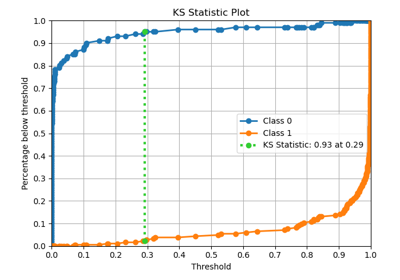
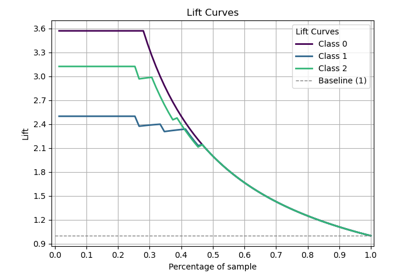
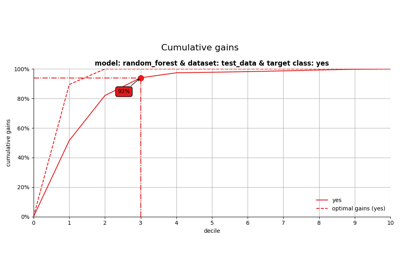
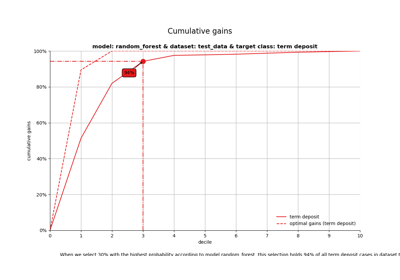
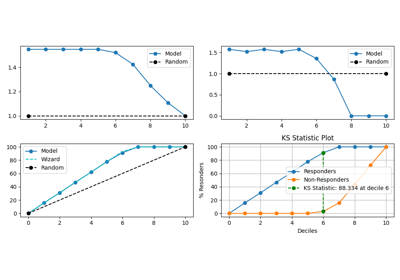
Examples related to the decile submodule with e.g. LogisticRegression instance.
See also
Seaborn-style decile analysis (Lift / Gain / KS)
decileplot
Decomposition#
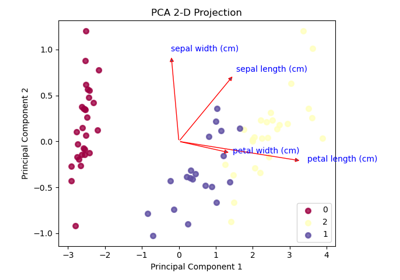
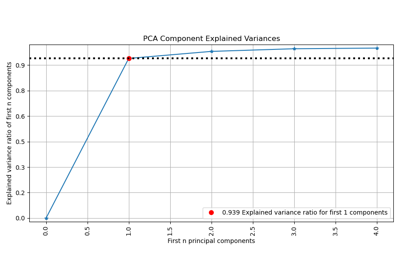
Examples related to the decomposition submodule with e.g. PCA instance.
Feature Selection#
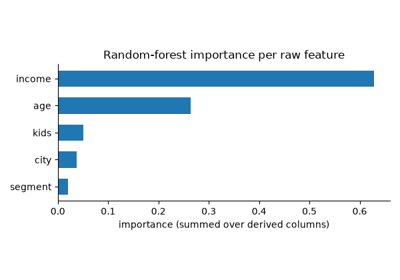
Feature profiling, lineage and drift#
Examples related to the feature_selection submodule with
e.g., profile_features,
trace_pipeline and
ReferenceProfile.
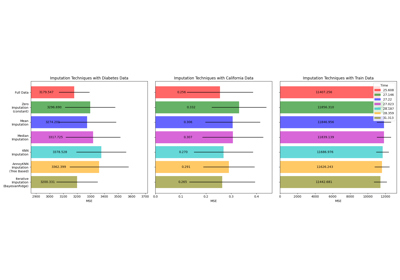
Impute#
Examples related to the impute submodule
with a scikit-learn regressor (e.g., LinearRegression) instance.
# 💡impute may need voyager
pip install scikitplot[core]

# (Optionally)
# !pip install voyager
Levenshtein#
These examples form a small learning path for exact edit distance and fuzzy ranking. They are deterministic, local and network-free.
two sequences
     ↓
unit-cost edit distance
     ↓
normalized similarity
     ↓
optional ranking / cutoff
     ↓
actual backend provenance
Start here#
Basics — the classic
kitten→sittingdistance and normalized metrics.Backends — inspect internal, RapidFuzz, explicit GPL and pure-Python capabilities without requiring any optional backend to be installed.
Ranking — stable ties,
limit,score_cutoffand objectkey.Sequences — bytes, token sequences and explicit Unicode normalization.
Corpus — use Levenshtein as a deterministic local Corpus retrieval scorer.
Reliability rules#
Every script:
uses only local literal data;
performs no network access or downloads;
has a pure-Python path;
asserts the result it demonstrates;
does not turn a wrong distance into a skip.
An unavailable optional accelerator can be reported as unavailable. Metric correctness cannot be skipped.
Backend note#
auto never chooses the external GPL Levenshtein backend. The examples
do not require it.
The gallery demonstrates the facade contract rather than benchmarking one machine’s accelerator installation.





Mcp#
Examples for mcp focus on exposing local scikit-plots
evidence through a small, read-only Model Context Protocol (MCP) surface.
The current showcase connects three public submodules:
scikitplot.corpusbuilds deterministic local evidence with
HAMLET_TEXTandHashEmbedder.scikitplot.annoyprovides the optional native approximate-nearest-neighbor backend.
scikitplot.mcpserves the indexed evidence through
search_docsanddocs://chunk/{doc_id}.
# MCP server/client dependencies
pip install scikit-plots[mcp]

# Verify the centralized CLI
scikitplot mcp --help
Start here#
Serve a real Hamlet corpus over MCP with Annoy
The showcase follows one complete local workflow:
HAMLET_TEXT
    ↓
local corpus directory
    ↓
HashEmbedder
    ↓
Annoy
    ↓
CorpusAnnoyRetriever
    ↓
scikitplot mcp --self-test
    ↓
scikitplot mcp --docker
    ↓
MCP client context
    ↓
search_docs(...)
    ↓
citations + docs://chunk/{doc_id}
It is intentionally built from local data so the retrieval result does not depend on a model download or an external document service.
Execution layers#
The example separates increasingly optional capabilities instead of requiring the full server stack for every documentation build.
Layer |
Requires |
Normal purpose |
If unavailable |
|---|---|---|---|
Hamlet corpus |
Corpus core |
create local evidence |
runs normally |
Hash embedding |
NumPy / Corpus core |
deterministic document/query vectors |
runs normally |
Corpus + Annoy retrieval |
native |
real ANN search |
specific |
CLI |
Corpus + Annoy |
verify backend without opening a server |
specific |
MCP HTTP server |
MCP server dependencies |
expose tools/resources |
specific |
MCP client round trip |
MCP SDK + local server |
verify the real protocol boundary |
run only in provisioned CI/manual environments |
CLI self-test first#
Before opening a listening server, validate the exact Corpus + Annoy configuration with the bounded CLI self-test:
scikitplot mcp \
    --corpus-annoy /tmp/scikitplot-mcp-hamlet \
    --hash-dimension 256 \
    --annoy-n-trees 10 \
    --self-test \
    --self-test-query "sleep dream death" \
    --self-test-require-match
This is the preferred first CI gate because it verifies corpus loading, embedding, index construction, querying, and the MCP result contract without requiring an HTTP client/server round trip.
Two-terminal server workflow#
Terminal 1 — server
scikitplot mcp --docker \
    --host 127.0.0.1 \
    --corpus-annoy /tmp/scikitplot-mcp-hamlet \
    --hash-dimension 256 \
    --annoy-n-trees 10
Terminal 2 — client
from mcp import Client

async with Client("http://127.0.0.1:8000/mcp") as client:
    result = await client.call_tool(
        "search_docs",
        {
            "query": "sleep dream death",
            "k": 3,
        },
    )

print(result.structured_content)
The showcase also polls /healthz before creating the client and always
terminates the server subprocess during cleanup.
CI / documentation mode#
For an ordinary documentation build, keep the live HTTP round trip disabled:
export SCIKITPLOT_GALLERY_RUN_MCP_DOCKER=0
To execute the full local server/client round trip in a provisioned CI container:
export SCIKITPLOT_GALLERY_RUN_MCP_DOCKER=1
python galleries/examples/mcp/plot_mcp_corpus_annoy_hamlet_script.py
The CI subprocess explicitly binds to 127.0.0.1. This keeps the
unauthenticated showcase server on loopback rather than exposing it beyond the
container/host merely to test the protocol path.
What --docker means here#
The example invokes:
scikitplot mcp --docker ...
through Python’s subprocess module.
It is the scikit-plots MCP server’s Docker-oriented runtime profile; the Python
gallery itself is not a replacement for docker run or container
orchestration. The same command can be launched inside your normal CI/Docker
environment.
Gallery reliability rule#
The MCP examples use the same reliability distinction as the Corpus gallery:
missing optional native Annoy / MCP SDK / intentionally disabled live serverReport a visible, specific
SKIPwhen the remaining example can stay truthful.invalid public API / broken installed backend / malformed MCP result / server crashFail visibly. Do not convert a real integration regression into a skip.
The local deterministic path must never fabricate Annoy or MCP success when those capabilities were not actually exercised.
Security and lifecycle#
The showcase is read-only and uses bounded result previews.
For automated server execution it also:
chooses a free loopback port,
waits for
/healthzbefore connecting,binds explicitly to
127.0.0.1,terminates the child process in a
finally/context cleanup path,escalates to
kill()only if graceful termination exceeds the timeout.
Treat wider network exposure, authentication, reverse proxies, TLS, and production process supervision as deployment concerns rather than gallery defaults.
Browser / WASM note#
The deterministic Corpus and hashing pieces are portable Python/NumPy candidates. Native Annoy, subprocess management, listening sockets, and a real MCP HTTP server should not be assumed available in JupyterLite or other browser/WASM runtimes.
Use the gallery there as architecture/reference material unless those runtime capabilities have been explicitly verified.

MemMap#
Examples related to the memmap submodule.
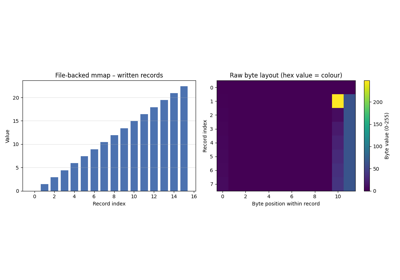
Memory-Mapping Showcase – Basic / Medium / Advanced
Misc#
Examples related to the misc submodule.
MLflow#
Examples related to the mlflow submodule
with a scikit-learn regressor (e.g., LinearRegression) instance.
# 💡mlflow Need mlflow
pip install scikitplot[mlflow]

# (Recommended)
# !pip install mlflow

Nc (NumCpp)#
Examples related to the nc submodule.

Preprocessing#
Examples related to the preprocessing submodule with
e.g., DummyCodeEncoder,
GetDummies instance.
See also
Random#
Examples related to the random submodule.
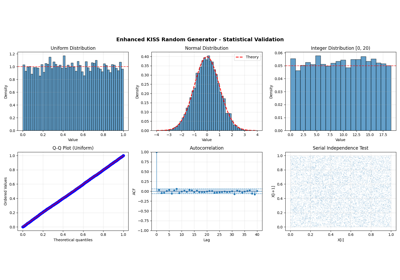
Enhanced KISS Random Generator - Complete Usage Examples
Rank-BM25#
Examples for rank_bm25 are arranged as a learning path for
lexical retrieval rather than as isolated API demonstrations. They use only
small in-memory corpora, make no network requests, and keep result identities
bound to the index whenever a result could leave the process.
The examples intentionally avoid inventing a plotting layer for a text-ranking
API. Sphinx-Gallery still uses plot_*.py filenames, but these examples
render their useful output as code and text.
Install#
The full Scikit-Plots distribution already includes Rank-BM25:
python -m pip install scikit-plots
For a smaller installation that owns only the Rank-BM25 package and the Scikit-Plots core dependencies:
python -m pip install scikit-plots-rank-bm25
Do not install the full and partial distributions into the same environment;
they own overlapping scikitplot package files. See
Scikit-Plots Partial Distributions for the partial-distribution
model.
Start here#
Quick start and stable identities — build a
BM25Okapiindex, retrieve by document ID, see deterministic tie ordering, and verify that an out-of-vocabulary query returns no sparse hits.Choose a recipe — run the same corpus through
BM25Okapi,BM25L, andBM25Plus; inspect the versioned recipe identity and compare rankings without treating one score scale as interchangeable with another.Sparse retrieval versus dense diagnostics — use
BM25.candidate_count,BM25.get_top_ids, andBM25.get_scoresfor the jobs they actually perform.Save and reload an index — publish a pre-tokenized index to a temporary directory, reload it, and verify that identities and retrieval survive the round trip.
Which example should I use?#
Goal |
Example |
|---|---|
Add lexical search to an application |
|
Decide among Okapi, BM25L, and BM25+ |
|
Understand candidate filtering and whole-corpus scores |
|
Persist an index across process starts |
What the gallery treats as the contract#
The examples follow the current public behavior rather than assumptions from other BM25 libraries:
corpus rows are token sequences unless
tokenizer=is supplied;stable
doc_idsare preferred over caller-owned row offsets;BM25.get_top_idsuses sparse candidate retrieval and an unknown term can therefore return an empty result;BM25.get_scoresis a dense diagnostic vector with one value per corpus row;equal retrieval scores are ordered by original corpus position;
exact floating-point values are not used as cross-recipe compatibility assertions; and
persistence examples use pre-tokenized data because the public namespace does not currently expose the durable analyzer declaration used by the internal tokenizer persistence path.
The corpus is deliberately tiny. These are correctness and workflow examples, not performance benchmarks or evidence that an in-process NumPy index is the right backend for every corpus size.
See also
BM25 lexical ranking — concepts, contracts, failure modes, persistence boundaries, and performance choices.
Corpus User Guide — corpus ingestion and retrieval workflows.
Annoy vector search — approximate nearest-neighbor vector retrieval.




Regression#
Examples related to the metrics submodule with e.g., LinearRegression instance.
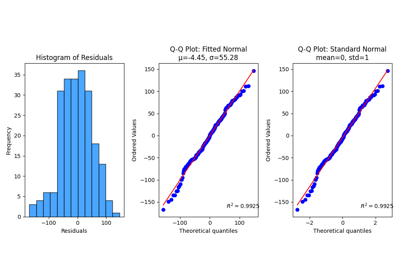
Seaborn#
Examples related to the seaborn submodule
with a scikit-learn regressor (e.g., LinearRegression) instance.
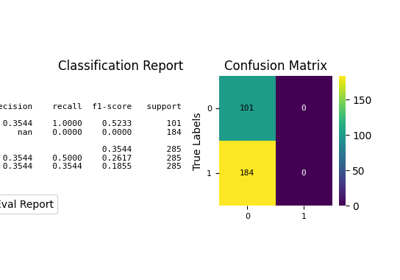
Stats#
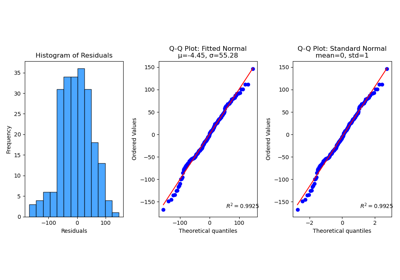
Examples related to the stats submodule with e.g. LinearRegression instance.
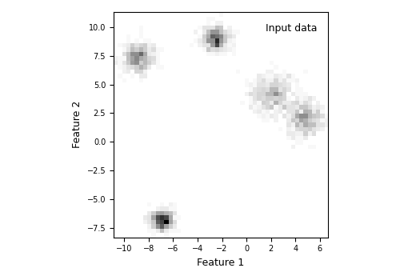
Gaussian Mixture Models — AIC, AICc, and BIC Model Selection
Visualkeras#
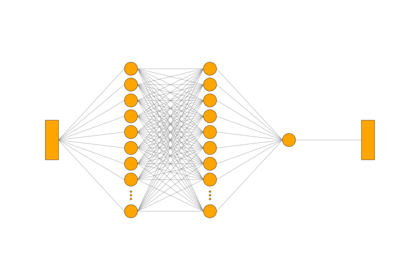
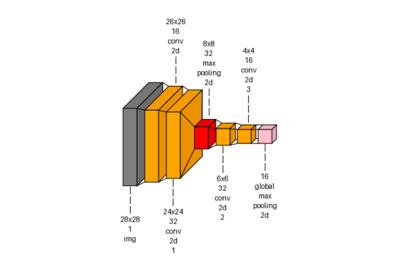
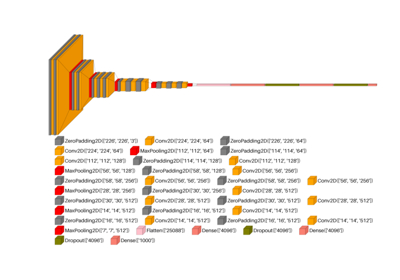
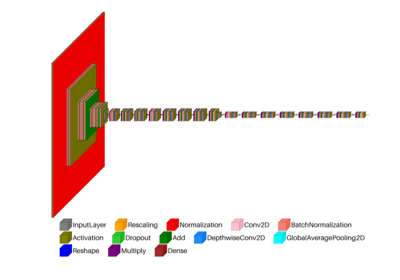
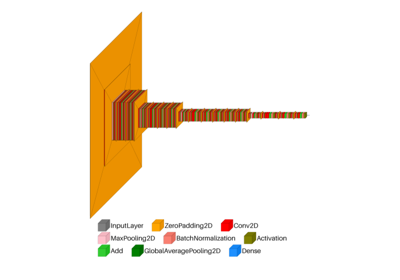
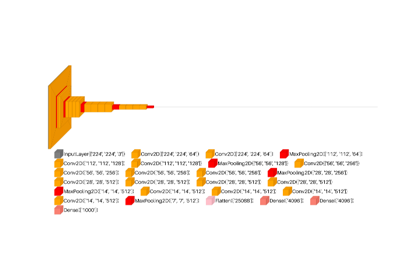
Examples related to the visualkeras submodule with
e.g. a DL (ANN, CNN, NLP) tf.keras.Model model instance.
Important
⚠️ Hugging Face Deprecated Transformers models are not supported in TensorFlow — use KerasNLP or KerasHub instead.
# 💡visualkeras Need aggdraw tensorflow or tensorflow-cpu
pip install scikitplot[core, cpu]

# (Recommended)
# !pip install aggdraw
# !pip install tensorflow

python -c "import tensorflow as tf, google.protobuf as pb; print('tf', tf.__version__); print('protobuf', pb.__version__)"
python -m pip check

# If Needed
# pip install -U "protobuf<6"
# pip install protobuf==5.29.4
import tensorflow as tf
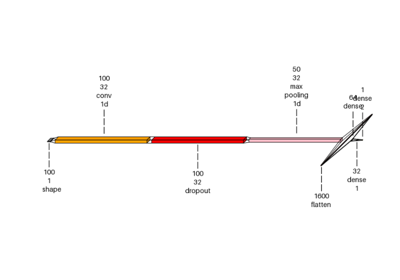
Visualkeras: Spam Classification Conv1D Dense Example